Blog
School Announcement Screens: How to Run Daily Announcements and Bell Schedules on Hallway TVsNovember 6, 2026

Class schedules, promos and member news on every gym screen
Display NOW puts class schedules, trainer spotlights, promotions and challenges on every screen in your gym, managed from one dashboard. Business Edge includes a commercial Edge Player for each screen, with remote device support from our team.


Based on 49 reviews

in minutes
via Google Workspace
& Azure AD
and cloud software
in one plan



Class changes get scribbled on a whiteboard, promos get buried in email, and the TVs show sports nobody’s watching.
A class moves rooms or gets a new instructor and half the regulars never hear about it. Update every screen from your phone.
Personal training, smoothies and merch sell when members see them. Put offers where members already look between sets.
Consumer streaming sticks crash and update during your busiest classes. The Edge Player is built to run open to close, and screen-health alerts tell you by email or SMS if a screen goes offline.
Stale screens get ignored. Schedule fresh content ahead and let Your Daily Loop fill the gaps.
Display NOW gives owners and front-desk staff one dashboard for lobby, studio, locker room and cardio-floor screens, at one club or many.

Show today’s classes at a glance. Times, rooms and instructors, updated from your phone.
Schedule promos in advance. New-year specials, challenges and holiday hours start and stop on their own.
Design in Canva or with AI, publish in one click. Make a promo slide in seconds with the AI designer.
Keep the floor fun with Your Daily Loop. Ready-to-play trivia, brain fitness and inspiration that refresh every day.
Some features, including remote device support and Power BI dashboards, depend on your plan. See Plans for what’s included at each tier.
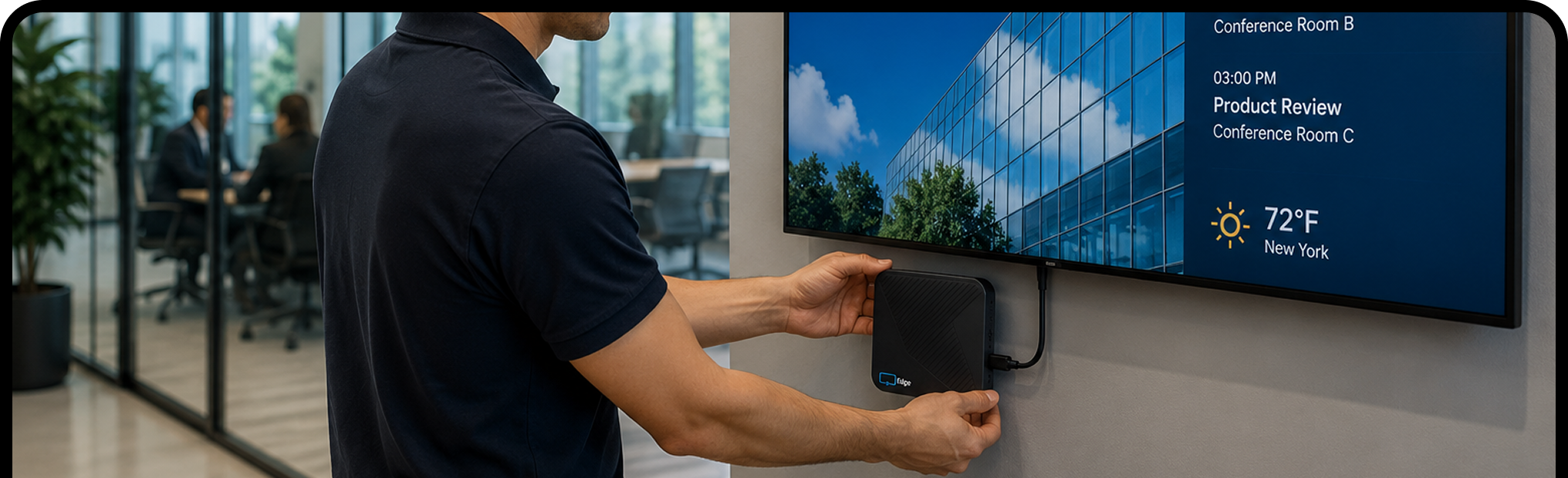
Plug the Edge Player into any TV or display with an HDMI port, connect it to Wi‑Fi, and enter the pairing code.
Sign in with Google or Microsoft. Start from a template, save from Canva, or upload your own. Most people have their first screen live in about 6 minutes.
Publish once and every selected screen updates. Change it from your laptop or phone, wherever you are.


Start free on one screen, upgrade when you're ready, or choose Business Edge with the Edge Player included. Want screens that run themselves? Add Your Daily Loop for ready-to-play content that refreshes every day.
Your Daily Loop: done-for-you content, refreshed every day
Common-area screens are the hardest to keep fresh. Nobody owns them, so nothing gets updated, and the screen ends up showing the same slide from six months ago.
Your Daily Loop fills that gap. Professionally curated programming updates automatically every day. Your team sets it once and doesn't touch it again.
Available as an add-on. See pricing for details.
Try every feature free for 14 days on the TVs you already have, with no credit card. When you’re ready, move to Edge Players for screens that run open to close. Questions? Real people answer by phone, chat and email.


It’s using TVs around your gym to show class schedules, promotions, trainer spotlights and announcements, managed from one online dashboard instead of whiteboards and flyers.
Yes. Many gyms add a slot for local partners like physical therapists, meal-prep services and supplement shops. Add each partner’s ad to a playlist and schedule when it runs.
Any TV or monitor with an HDMI port. The Edge Player, included with Business Edge, is a commercial signage player built to run 24/7. Already have a supported device? Display NOW’s other plans run on it with the free Display NOW app.
Yes. Create a folder for each club with its screens under it, send brand-wide campaigns everywhere with a Broadcast, and give each location its own group to add its own schedule and news.
Yes. You get 14 days of full access with no credit card. Try it on real screens with real content. Need more time? Just ask and we’ll extend your trial. There's also a free plan for one screen, forever, and a 30-day money-back guarantee on paid plans.
Yes. Set screen-health alert policies with an offline threshold in minutes, and get alerts by email or SMS (US and Canada), or a digest if you prefer fewer messages. The Dashboard shows which screens are online, offline or need attention.
Yes. Click a slot in the Schedules calendar to create an event by time of day, day of week or date range. Events run in each screen's local time zone, and changes sync to screens within 60 seconds.
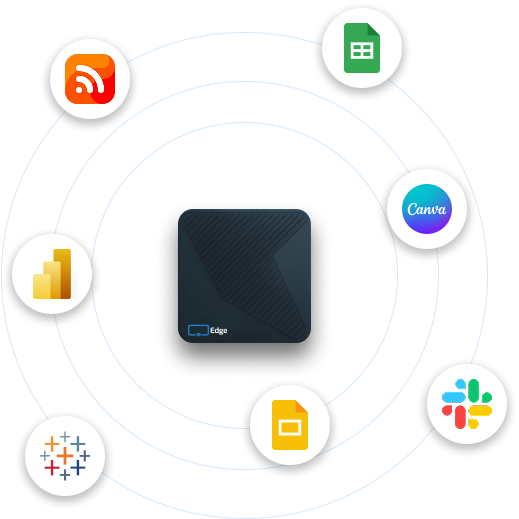
Images, videos, PDFs, playlists, Google Slides, PowerPoint, Canva designs, Power BI dashboards, Google Sheets, web pages, YouTube, Vimeo, live weather and news headlines. Design from scratch with the built-in AI designer or start from a template.
No. Display NOW includes a Designer with Generative AI (describe what you want and AI designs it) and ready-made templates. If you already use Canva, the Canva integration saves designs straight to Display NOW in a few clicks. Your team can have professional-looking content ready in minutes, with no design experience or agency needed.
Your screens keep playing. Display NOW stores images, videos and PDFs on the device, so if the internet drops, that content keeps running. Web pages, dashboards and news headlines need a connection and refresh as soon as it’s back. Screens sync any changes automatically when they reconnect.