Blog
Free Digital Signage for Churches: What One Screen Can DoNovember 20, 2026

Check-in steps, wait updates and health tips on every clinic screen
Display NOW puts check-in instructions, provider updates and patient education on every waiting room and hallway screen, managed from one dashboard. Business Edge includes a commercial Edge Player for each screen, so the front desk never has to restart a frozen TV.


Rated by our customers

Businesses trust Display NOW
Screens managed
Countries




Paper signs get ignored, the waiting room TV plays daytime cable, and staff repeat the same instructions to every patient who walks in.
Where to check in, which forms to bring, how to use the patient portal. Put it on screen once and every patient sees it.
Cable news and talk shows raise stress in a room full of people who are already anxious. Replace them with calm, useful content you control.
When a provider runs late or a flu clinic opens, nobody has time to reprint signs. Anyone you invite can update every screen from a phone.
Consumer streaming sticks crash and update themselves at the worst times. The Edge Player is built to run all day, and screen-health alerts tell you by email or SMS if a screen goes offline.
Display NOW gives practice managers and front-desk staff one simple dashboard for waiting rooms, exam hallways and staff areas, across one location or fifty.

Guide patients from the door. Check-in steps, portal sign-up, insurance reminders and directions to labs or imaging.
Schedule campaigns in advance. Flu season, screenings and awareness months start and stop on their own.
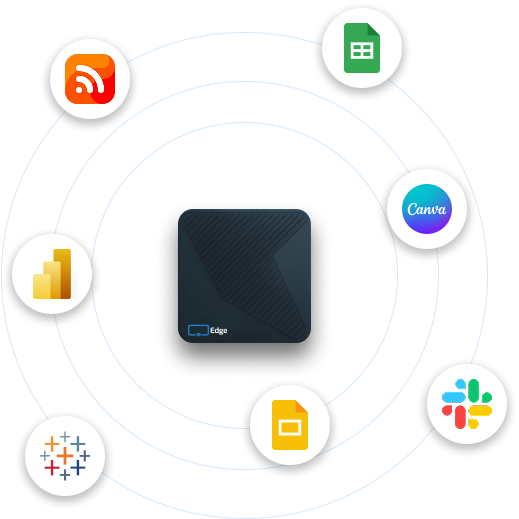
Design in Canva or with AI, publish in one click. Build a slide in seconds with the AI designer, or save designs straight from Canva.
Keep waiting rooms calm with Your Daily Loop. Ready-to-play trivia, brain fitness and inspiration fill the time between your messages.
Some features, including remote device support and Power BI dashboards, depend on your plan. See Plans for what’s included at each tier.
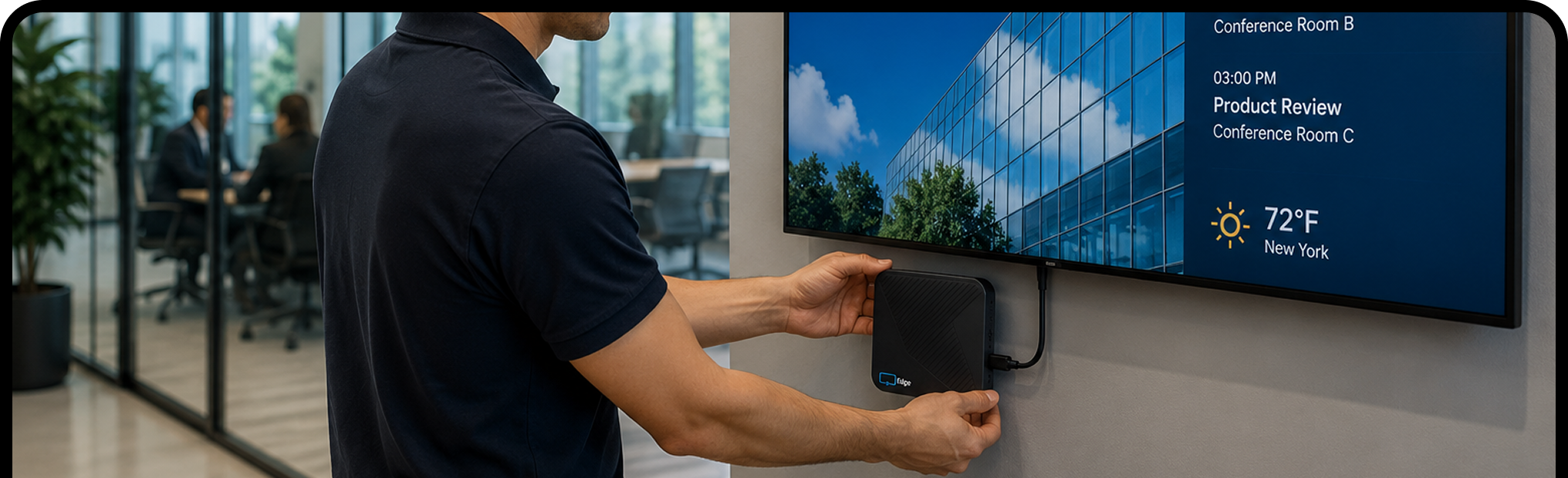
Plug the Edge Player into any TV or display with an HDMI port, connect it to Wi‑Fi, and enter the pairing code.
Sign in with Google or Microsoft. Start from a template, save from Canva, or upload your own. Most people have their first screen live in about 6 minutes.
Publish once and every selected screen updates. Change it from your laptop or phone, wherever you are.


Start free on one screen, upgrade when you're ready, or choose Business Edge with the Edge Player included. Want screens that run themselves? Add Your Daily Loop for ready-to-play content that refreshes every day.
Your Daily Loop: done-for-you content, refreshed every day
Common-area screens are the hardest to keep fresh. Nobody owns them, so nothing gets updated, and the screen ends up showing the same slide from six months ago.
Your Daily Loop fills that gap. Professionally curated programming updates automatically every day. Your team sets it once and doesn't touch it again.
Available as an add-on. See pricing for details.
Try every feature free for 14 days on the TVs you already have, with no credit card. When you’re ready, move to Edge Players for screens that run all day without a reset. Keep public screens to general information, never protected health information.


It’s using TVs in waiting rooms, hallways and staff areas to show check-in instructions, patient education, wait updates and announcements, managed from one online dashboard.
We recommend against it. Waiting room screens are public, so keep them to general information like instructions, education and announcements, and never show protected health information.
Any TV or monitor with an HDMI port. The Edge Player, included with Business Edge, is a commercial signage player built to run 24/7. Already have a supported device? Display NOW’s other plans run on it with the free Display NOW app.
Yes. Create a folder for each location with its screens under it, then send one message everywhere or different content to each office, all from one account. Business Edge adds remote device support from our team for every Edge Player.
Yes. You get 14 days of full access with no credit card. Try it on real screens with real content. Need more time? Just ask and we’ll extend your trial. There's also a free plan for one screen, forever, and a 30-day money-back guarantee on paid plans.
Yes. Set screen-health alert policies with an offline threshold in minutes, and get alerts by email or SMS (US and Canada), or a digest if you prefer fewer messages. The Dashboard shows which screens are online, offline or need attention.
Yes. Click a slot in the Schedules calendar to create an event by time of day, day of week or date range. Events run in each screen's local time zone, and changes sync to screens within 60 seconds.
Images, videos, PDFs, playlists, Google Slides, PowerPoint, Canva designs, Power BI dashboards, Google Sheets, web pages, YouTube, Vimeo, live weather and news headlines. Design from scratch with the built-in AI designer or start from a template.
No. Display NOW includes a Designer with Generative AI (describe what you want and AI designs it) and ready-made templates. If you already use Canva, the Canva integration saves designs straight to Display NOW in a few clicks. Your team can have professional-looking content ready in minutes, with no design experience or agency needed.
Your screens keep playing. Display NOW stores images, videos and PDFs on the device, so if the internet drops, that content keeps running. Web pages, dashboards and news headlines need a connection and refresh as soon as it’s back. Screens sync any changes automatically when they reconnect.