
Digital signage features to create, schedule and manage every screen
Display NOW is cloud digital signage software that turns any TV into a managed screen. Design content, schedule it and keep every display running from one dashboard.
Free for 1 screen forever. 14-day free trial of all features, no credit card. Used by 1,200+ businesses in 180+ countries.
Create screen-ready content in minutes
Design without a designer, or bring the tools and files you already use.
AI design
Describe what you need in Create mode and AI builds an editable design for your screen.
Learn more about designCanva integration
Design in Canva and send your work straight to your screens.
PowerPoint and Google Slides
Show the presentations you already have on any screen.
Learn more about mediaMedia apps and widgets
Add images, video and web pages, plus clock, weather, logo, text and date/time widgets.
See media options
Schedule and organize content across screens
Put the right content on the right screen at the right time, without manual changes.
Playlists
Arrange images, video and apps into a loop and set how long each item plays.
Learn more about playlistsCalendar scheduling with priorities
Schedule playlists on a calendar and set priorities so the most important content plays first.
Layouts with multiple zones
Split one screen into zones, such as a revenue-generating promo zone next to your information.
Groups and folders
Organize screens by location, client or campaign and manage them together.
Learn more about groupsYour Daily Loop
Add fresh daily content that updates on its own, so screens never look stale.
Learn more about Your Daily Loop
Manage every screen from anywhere
Know what is playing at every location and fix issues without a site visit.
Remote preview
See what is showing on any screen right now, from your desk.
Learn more about remote previewAuto relaunch
If a device restarts, Display NOW comes back on screen by itself.
Learn more about auto relaunchRemote management
Change content on any screen from a browser on any device.
Learn more about remote management
Run on affordable players you choose
Use a low-cost streaming device or a dedicated Display NOW player. No expensive hardware required.
Display NOW Edge Player
Included with Business Edge, with remote device support from our team.
Learn more about Edge PlayerWeb player for other smart TVs
Use the web player to show content on other smart TVs.
See supported hardware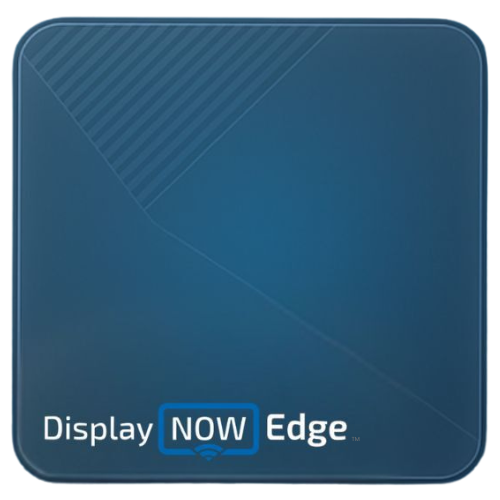
Security and admin controls on every plan
Give your team access without giving up control.
Single sign-on (SSO)
Sign in with Google Workspace or Azure AD on every plan, including Free.
Learn more about securityMulti-user access
Invite teammates so the people who own each screen can update it.

Put live business data on screen
Show the dashboards, spreadsheets and pages your team already uses, without manual updates.
Power BI dashboards on TV
Show Power BI reports on your screens. Available on Pro.
Learn more about Power BIDisplay NOW features: frequently asked questions
Is there a free plan?
Yes. Display NOW is free for 1 screen, forever. Paid plans add more screens and features.
Compare plansCan I try every feature before I pay?
Yes. Start a 14-day free trial of all features with no credit card. Paid plans also come with a 30-day money-back guarantee.
What hardware do I need?
A TV plus an Amazon Fire TV device, a Google TV device or the Display NOW Edge Player. Other smart TVs can use the web player.
See supported hardwareDoes Display NOW work with Canva, PowerPoint and Google Slides?
Yes. Display NOW integrates with Canva and supports PowerPoint and Google Slides, so you can reuse content you already have.
Can one screen show more than one thing at a time?
Yes. Layouts split a screen into multiple zones, for example a revenue-generating promo zone next to your information.
Is single sign-on included?
Yes. SSO with Google Workspace or Azure AD is available on every plan, including Free.
Can I show Power BI dashboards on a TV?
Yes. Power BI dashboards are available on the Pro plan.
Learn more about Power BI on TVIs Display NOW secure?
Yes. Display NOW is SOC 2 compliant and supports SSO on every plan.
Read our security overview


