
Hotel Digital Reader Boards: How to Display Today's Events and Meeting Rooms
The lobby event board, done right: names, rooms, times, and updates that keep up with the BEO.

A hotel digital reader board is a lobby or meeting-floor screen that lists today's events with the group name, room and start time, sorted by time. With a layout, the list can share the screen with widgets such as local weather, a Windy weather radar map, the hotel logo, a clock and text announcements, in your own colors and fonts. One owner should update it from the daily event sheet and load tomorrow's board the night before.
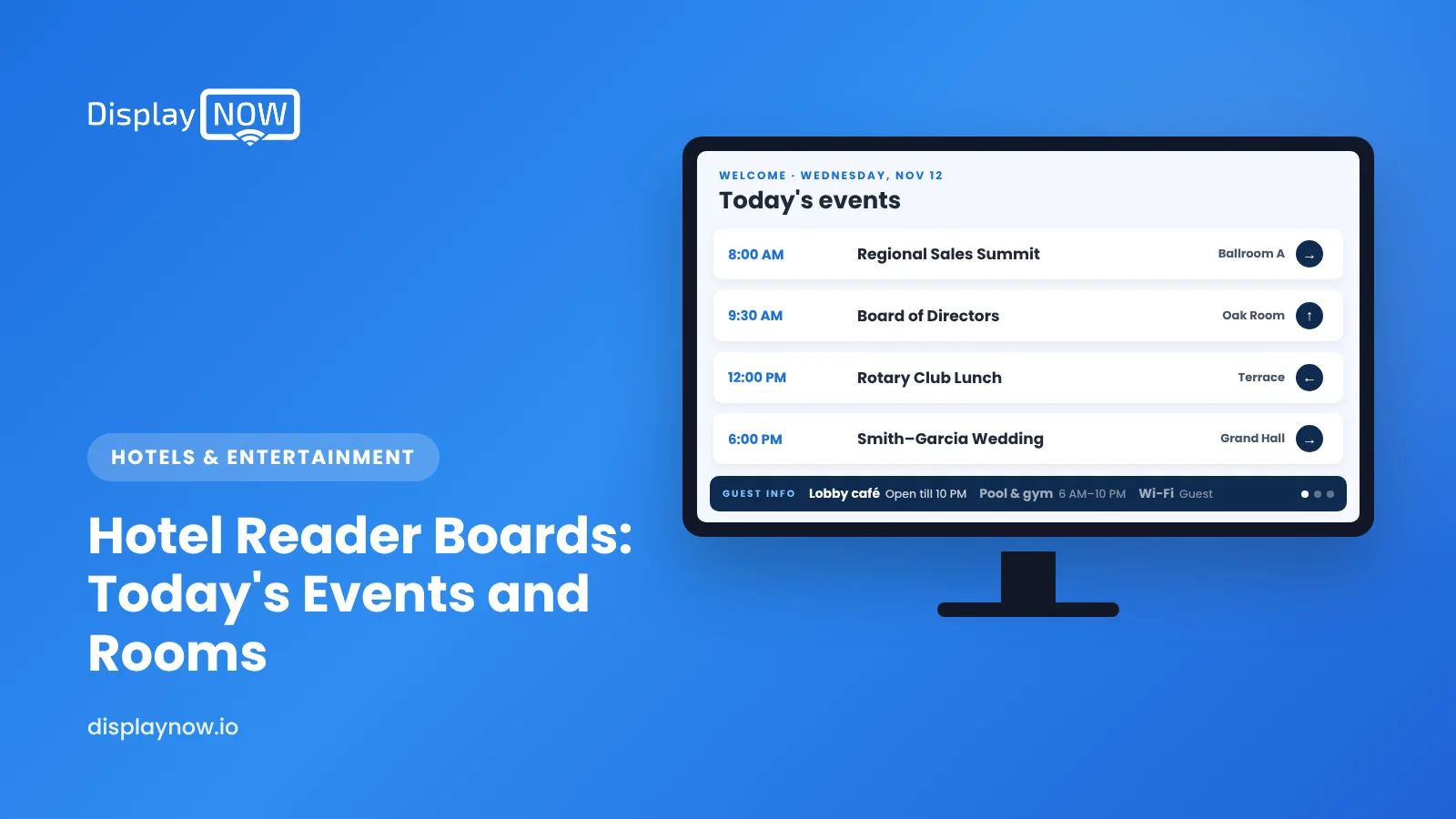
A hotel digital reader board is a lobby or meeting-floor screen that lists today's events: the group or company name, the room, and the start time, in the order guests need them. It replaces the paper easel and the changeable-letter board, and it's updated from a computer instead of by someone with a box of plastic letters.
It doesn't have to be a plain list, either. With a layout, the event list can share the screen with widgets such as local weather, a Windy weather radar map, your logo, a clock and short text announcements, all in your brand's colors and fonts.
Here's what to put on one, how to lay it out, how to keep it accurate when banquet orders change at 7 a.m., and what to show when the meeting rooms are empty.
What should a hotel event board show?
Guests walking off the elevator with a name badge want one answer: where is my meeting? Everything on the screen should serve that. A good event board has:
- Event or group name exactly as the planner wants it shown. Confirm spelling and whether the client wants to be listed at all; some corporate meetings ask to be private.
- Room name, matching the signage on the doors.
- Start and end time, sorted by start time.
- Floor or direction arrow if rooms are spread across levels.
- A welcome line for the biggest group of the day.
Where should reader boards go?
| Location | What to show | Orientation |
|---|---|---|
| Main lobby | Full day's event list plus a welcome for the largest group | Portrait fits long lists |
| Elevator landing on the meeting floor | Only the events on that floor, with arrows | Portrait or landscape |
| Outside each meeting room | The current session and next session in that room | Small landscape screen |
| Ballroom pre-function area | Agenda for the event in progress, sponsor thank-yous, Wi-Fi details | Landscape |
What else can a reader board show alongside the event list?
A layout splits one screen into zones, so the event list doesn't have to fill the whole display. Keep the list in the largest zone and use the rest for widgets that help guests and reinforce the brand:
- Logo and brand styling. Put the hotel logo in a corner zone and set custom colors and fonts so the board matches the property's other signage.
- Local weather. A weather widget with today's conditions and forecast answers the question attendees ask before heading out for lunch or the airport.
- Weather radar. A Windy weather radar map is useful in storm or snow season, when groups are deciding whether to leave early.
- Text announcements. A short line such as "Registration is in the Foyer until 10 a.m." or "Shuttle to the convention center every 20 minutes" can sit in a strip at the bottom of the screen.
- Clock. A clock widget in the header, so attendees can see whether they need to hurry.
An example landscape layout for a meeting-floor screen:
| Zone | What it shows |
|---|---|
| Header bar | Hotel logo, "Today's Events" and the clock |
| Main zone (about two-thirds of the screen) | Event list: group name, room, start and end time, floor |
| Side zone | Local weather, switching to the radar map on stormy days |
| Bottom strip | Text announcement, such as Wi-Fi details or the shuttle schedule |
Keep the event list the star of the screen. Widgets should support it, not compete with the room numbers guests came to read.
How do you keep the board accurate when plans change?
Banquet event orders change constantly: a breakout moves rooms, a lunch runs long, a group adds a session. The board has to change as fast as the BEO, or guests stop trusting it. A few habits help:
- One owner per day. Usually the events or sales coordinator updates the board as part of finalizing the daily event sheet, with the front desk as backup.
- Build it from the same source. If your daily event list lives in a spreadsheet or PDF, upload that, or keep a template slide and edit just the rows. Display NOW accepts PDF, JPG, PNG and BMP uploads, and Canva templates make the daily edit quick.
- Schedule tomorrow tonight. With calendar-style scheduling, the next day's board can be loaded in the evening and set to appear at 5 a.m. Overlapping schedules use priority, so a last-minute change can override the planned board without deleting it.
- Check it remotely. A remote preview of every screen lets the coordinator confirm the meeting-floor board from their desk before the first attendees arrive.
What should the board show when there are no events?
Empty conference days are when the screen can work for the property. Rotate content that serves in-house guests:
- Restaurant and bar hours, with today's special.
- Breakfast times and location.
- Spa, pool and fitness center hours.
- Local weather, the radar map and news headlines (RSS feeds work well here), using the same widgets as the event layout.
- A slide promoting meeting and event space, with a QR code to request a quote. Guests on business trips are often the people who book next year's offsite.
If nobody has time to create that rotation, Display NOW's Your Daily Loop add-on supplies done-for-you content to fill gaps. For more ideas, see our hotel digital signage ideas.
How should a reader board be designed?
- Large type. Names and room numbers should be readable from across the lobby. If the list runs past about eight events, split it into two slides or use a portrait screen.
- Your colors and fonts, high contrast. Set custom colors and fonts to match the brand standards, then check contrast: light text on a dark background usually reads best in bright lobbies.
- No scrolling tickers for the event list. Guests shouldn't have to wait for their meeting to scroll past.
- Clock on screen. It sounds obvious, but attendees use it to decide whether to hurry. A clock widget in the header handles it.
What does it take to set up?
Not much. A TV, a small player and cloud software are enough. Display NOW runs on Google TV devices or the Display NOW Edge Player, which is in stock, ships in 1–2 business days, and is remotely supported by our team, so engineering doesn't have to troubleshoot a frozen lobby screen. The platform is SOC 2 compliant, which helps with brand IT reviews. More on digital signage for hotels, or see plans.
Frequently asked questions
What is the difference between a reader board and a digital directory?
A reader board lists time-based events, such as today's meetings and rooms. A directory lists permanent locations, such as the spa, restaurant and business center. Many hotels combine both, showing events when there are any and the directory the rest of the time.
Should every group be listed on the event board?
Ask first. Some corporate clients prefer a generic name or no listing for confidentiality. Build the question into your event contract or BEO checklist.
Can the board update automatically from our sales and catering system?
Some catering systems can export a daily event list as a PDF or spreadsheet that you can upload. Fully automatic feeds depend on your system; check what export options it offers before you buy anything extra.
Can a hotel reader board show weather and the hotel logo too?
Yes. A layout splits the screen into zones, so the event list can run beside widgets such as local weather, a Windy weather radar map, a clock, the hotel logo and a text announcement strip, styled with your own colors and fonts.
How big should a lobby event screen be?
For a main lobby, 55 inches or larger is typical, often mounted in portrait so long event lists fit. Screens outside individual meeting rooms can be much smaller.
- List group name, room, time and floor, sorted by start time.
- Use a layout to add weather, radar, your logo, a clock and text announcements beside the list.
- Match the hotel's brand with custom colors and fonts.
- Ask clients whether they want to be listed.
- Load tomorrow's board tonight; use priority for last-minute changes.
Start free in minutes: one screen free forever, or try every feature free for 14 days. No credit card.
Start freeCompare plansGet Started


