
Choosing a Screen for Digital Signage: LED, QLED, OLED or Outdoor? A BYO Buying Guide
A bright TV is enough indoors. Sunny windows and outdoor screens are where you spend more. Here's how to choose.

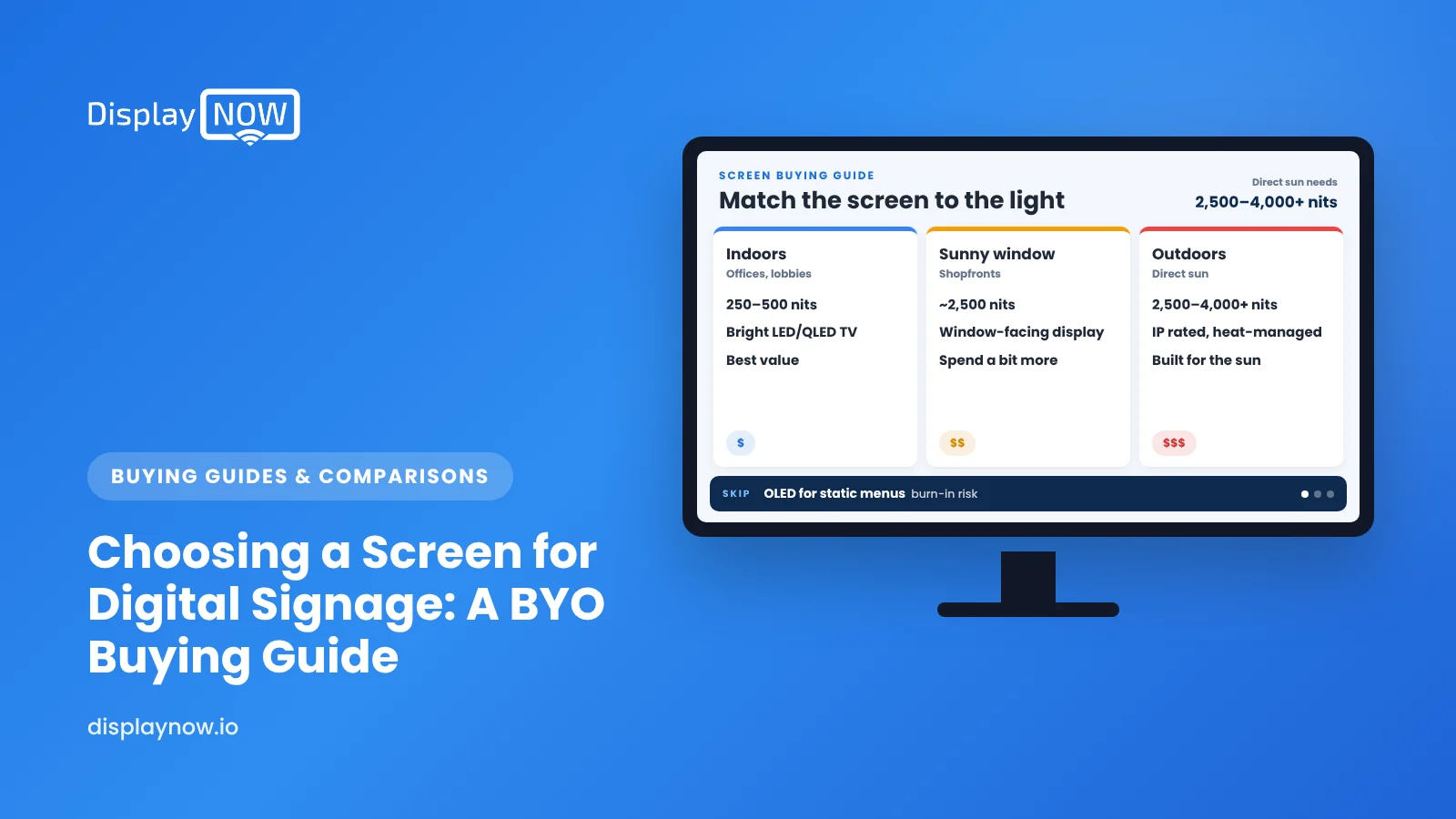
For indoor signage, a bright LED or QLED TV (about 300–700 nits) is usually enough. Screens in a sunny shop window need roughly 2,500 nits, and outdoor screens in direct sun need 2,500–4,000+ nits, an IP rating and heat protection. Skip OLED for menus and logos because of burn-in. Not sure what fits your space? Display NOW is happy to help you choose.
Most businesses don't need an expensive commercial display to run digital signage. For screens indoors, a bright, good-quality TV you already own or can buy at a big-box store works well. Where it gets expensive is light: a screen in a sunny window or outside in direct sun has to be several times brighter than a normal TV, and that's where you should plan to spend more.
I wrote this guide because "which screen should I buy?" is one of the first questions new Display NOW customers ask. Here's how to choose, in plain English. And if you'd rather talk it through, we're happy to help you decide which screen is best for your space. Just ask.
What matters most when choosing a screen for signage?
Three things, in this order:
- Brightness for the light it sits in. Measured in nits. This decides whether people can read your screen at all.
- How many hours a day it runs. A screen on during opening hours is a very different job from one on 24/7.
- Size and viewing distance. Bigger isn't always better. Pick a size people can read from where they actually stand.
Panel type (LED, QLED, OLED) matters less than most people think, with one exception covered below.
How bright does a signage screen need to be?
Brightness is measured in nits (candelas per square metre). Samsung says consumer TVs are typically rated around 250 nits, while some commercial displays reach 2,500 nits, about ten times brighter (Samsung Insights). Many newer TVs are brighter than that, so check the spec sheet or a trusted review.
Display maker Litemax publishes a simple guide by environment (Litemax), and UK signage supplier Screenmoove gives similar advice for shop windows (Screenmoove):
| Where the screen sits | Typical brightness needed | What usually works |
|---|---|---|
| Indoors, normal lighting (offices, waiting rooms, break rooms) | 250–500 nits | A good consumer TV |
| Bright indoor areas, near windows | 500–700 nits | A bright consumer TV or an entry commercial display |
| Shaded outdoor or covered patio | 700–1,500 nits | A "full shade" outdoor TV or high-brightness display |
| Shop window facing the street | 1,500–2,000 nits if shaded; 2,500 is a practical start; 3,000–4,000 for direct sun | A window-facing high-brightness display |
| Outdoors in direct sun | 2,500–4,000+ nits | A sealed, full-sun outdoor display |
The rule of thumb: the more sun hits the screen, the more you'll pay. Indoors, put your money into size and picture quality. In a sunny window or outdoors, put it into brightness and a screen built for heat.
LED vs QLED vs OLED: which panel type is best for signage?
Most "LED TVs" are LCD panels lit by LEDs. QLED adds a quantum-dot layer for richer colour and often more brightness. OLED lights each pixel on its own, giving perfect blacks. Here's how they compare for signage:
| Panel type | Strengths | Weak spots for signage | Best for |
|---|---|---|---|
| LED / LCD | Affordable, widely available, no burn-in | Blacks look grey in dark rooms; brightness varies a lot by model | Most indoor screens: menus, lobbies, break rooms |
| QLED (and Mini-LED) | Brighter, richer colour than basic LED; no burn-in | Costs more than basic LED | Bright rooms, near windows, menu boards that need to pop |
| OLED | Stunning contrast and colour, very thin | Lower full-screen brightness; risk of burn-in from static elements | Showrooms and video loops with no fixed logos or prices |
| High-brightness commercial LCD | 1,500–4,000+ nits, rated for long hours, business warranty | Higher price | Windows, drive-thrus, outdoor, 24/7 use |
| Direct-view LED (video walls) | Extremely bright, any size, seamless | Expensive; needs professional install | Large outdoor signs, building facades, big venues |
Why I'd skip OLED for menus and static signs
OLED pixels can wear unevenly when the same image stays on screen for thousands of hours. In long-term testing reported by industry publication Sixteen:Nine, the OLED TV playing a news channel developed serious burn-in, and the culprit was "the always-on (or frequently on) areas at the bottom of the screen" (Sixteen:Nine). Menu boards, price lists and logos are exactly that kind of content. An LED or QLED screen is cheaper and doesn't have the problem.
Should you buy a consumer TV or a commercial display?
For indoor screens that run during business hours, a good consumer TV is usually fine, and it's how most small businesses start. Commercial displays earn their higher price when:
- The screen runs 16+ hours a day or 24/7. Samsung notes home TVs are designed for perhaps eight hours a day, while commercial displays are built to run around the clock.
- It faces a sunny window or sits outside.
- You want a business warranty. Samsung says a consumer TV's warranty is invalidated if it's used for commercial purposes (Samsung Insights), so read the warranty terms on whatever you buy.
- You need portrait mounting or a locked-down screen in a public space.
A practical middle path: buy the brightest TV your budget allows for indoor screens, and only pay for commercial or outdoor hardware where the light or the hours demand it.
What do you need for outdoor or direct-sun screens?
Outdoors, brightness is only half the job. Look for:
- Full-sun brightness. 2,500 nits and up for direct sun. "Full shade" outdoor TVs are cheaper but won't be readable in direct sun.
- A weather rating. An IP rating such as IP55, IP56 or IP65 means the unit is sealed against dust and water jets.
- Heat management. Direct sun can overheat ordinary LCDs and turn patches of the screen dark. Ask what ambient temperature the screen is rated for, and whether it dims itself in heat.
- Tough glass. Toughened or IK-rated glass for anywhere people can reach it.
- Coastal or harsh climates. If you're near the sea or somewhere very hot, ask the supplier for climate-matched references, not just the IP number.
Which outdoor screen brands and vendors should you look at?
These are well-known names to start your shortlist. Display NOW isn't affiliated with any of them, and specs change, so confirm the current model's brightness, rating and warranty before you buy.
| Region | Vendor | What they offer |
|---|---|---|
| Global | Samsung (OH series) | Full-outdoor and window-facing commercial displays, sold through business resellers worldwide |
| Global | LG (XE series) | High-brightness outdoor and window displays; for example the 55XE4F-M is rated 4,000 nits typical, IP56 and 24/7 |
| US | SunBriteTV | Outdoor TVs by sun exposure: Veranda for full shade (600 nits), Solis and Pro 2 for full sun (1,000–1,500 nits) |
| US | Peerless-AV | Xtreme High Bright outdoor displays, plus outdoor mounts and kiosks |
| US | Manufacturing Resources International (MRI) | Rugged BoldVu outdoor LCDs from 55 to 98 inches, made near Atlanta, Georgia |
| UK | Allsee Technologies | Outdoor digital posters and wall displays, e.g. 2,500-nit IP65 freestanding units, with UK stock and support |
| UK | Screenmoove | London-based supplier of outdoor and window-facing advertising displays |
| EU | PPDS (Philips Professional Displays) | Philips H-Line window-facing displays (up to 3,000 nits) and outdoor LED |
| Australia | Kickstart Computers | South Australia-based reseller of outdoor LCDs, kiosks and direct-view LED from Samsung, LG and Philips, IP65–IP67 |
| Australia | DAT Media | Queensland-based outdoor displays, totems, drive-thru enclosures and LED, with install |
| Australia | LG Australia | Outdoor and window-facing XE displays sold locally through LG's business channel |
Not sure which screen fits your space? Just ask
Every location is different: a north-facing window, a hot patio, a lobby with skylights, a screen that has to run all night. If you're not sure what you need, our team is happy to help you decide. Tell us:
- where the screen will go and how much sun reaches it,
- how many hours a day it will run,
- how far away people will stand, and
- your budget.
We'll suggest the brightness, size and type of screen that fits, whether that's the TV you already own or something built for the sun. There's no obligation, and since we don't sell screens, we have no reason to upsell you. Contact us and just ask.
What size screen should you buy?
Size depends on how far away people stand and how much text you show. A few guidelines:
- Menu boards and price lists: 43–55 inches per panel is the common choice behind a counter.
- Lobbies and waiting rooms: 50–65 inches, so people can read from their seats.
- Across a gym floor or warehouse: 65 inches and up, with big, bold text.
- Windows: match the window. A portrait screen often fits a shopfront better than landscape.
Whatever the size, the content matters as much as the screen. Our digital signage design rules cover font sizes and contrast so people can read your screen in three seconds.
How do you turn the screen into digital signage?
Any screen with an HDMI port can become a sign. With Display NOW, plug in a player, pair it with your account, and you're showing content in minutes. Most people have their first screen running in about 6 minutes.
- Not sure which player to use? See our comparison of streaming sticks vs a dedicated signage player before you choose.
- The Display NOW Edge Player is built for screens that run all day, keeps playing images and videos if the internet drops, and is monitored and supported remotely by our team.
Display NOW has a free plan for one screen and a 14-day trial with no credit card, so you can test your screen choice before you buy more. See plans.
Frequently asked questions
Can I use a regular TV for digital signage?
Yes. For indoor screens that run during business hours, a bright consumer TV works well and is how most small businesses start. Check the warranty terms, since some manufacturers don't cover commercial use, and upgrade to a commercial display for 24/7 use, sunny windows or outdoors.
How many nits do I need for a shop window?
A screen facing out through a window usually needs 1,500–2,000 nits if the window is shaded, around 2,500 nits as a practical starting point, and 3,000–4,000 nits if direct sun hits the glass for hours each day.
Is OLED good for digital signage?
OLED looks stunning for video, but static elements like logos, prices and menus can cause burn-in over thousands of hours. For menu boards and info screens, an LED or QLED screen is cheaper and doesn't have that risk.
Can I put a normal TV outside?
Not for long. A normal TV isn't sealed against rain, dust or bugs, and direct sun can overheat it and wash out the picture. Use a TV or display made for outdoor use and rated for the amount of sun it will get.
Does Display NOW sell screens?
Display NOW provides the signage software and the Edge Player. You bring your own screen, so you can choose the size, brand and brightness that fit your space and budget.
Can Display NOW help me choose a screen?
Yes. We're happy to help you decide which screen is best for your environment. Tell us where it will go, how much sun it gets, how long it runs each day and your budget, and we'll point you to the right brightness, size and type. Just ask through our contact page.
- Match brightness to the light: 250–500 nits indoors, about 2,500 for sunny windows, 2,500–4,000+ in direct sun.
- A good consumer TV is fine for most indoor screens during business hours.
- Avoid OLED for static content like menus and logos because of burn-in risk.
- Not sure which screen fits your environment? Ask the Display NOW team for help choosing.
Start free in minutes: one screen free forever, or try every feature free for 14 days. No credit card.
Start freeCompare plansGet Started


