
Church Lobby Screens: What to Show Before and After Service
A welcome for guests, one clear next step, and the events your regulars keep missing.

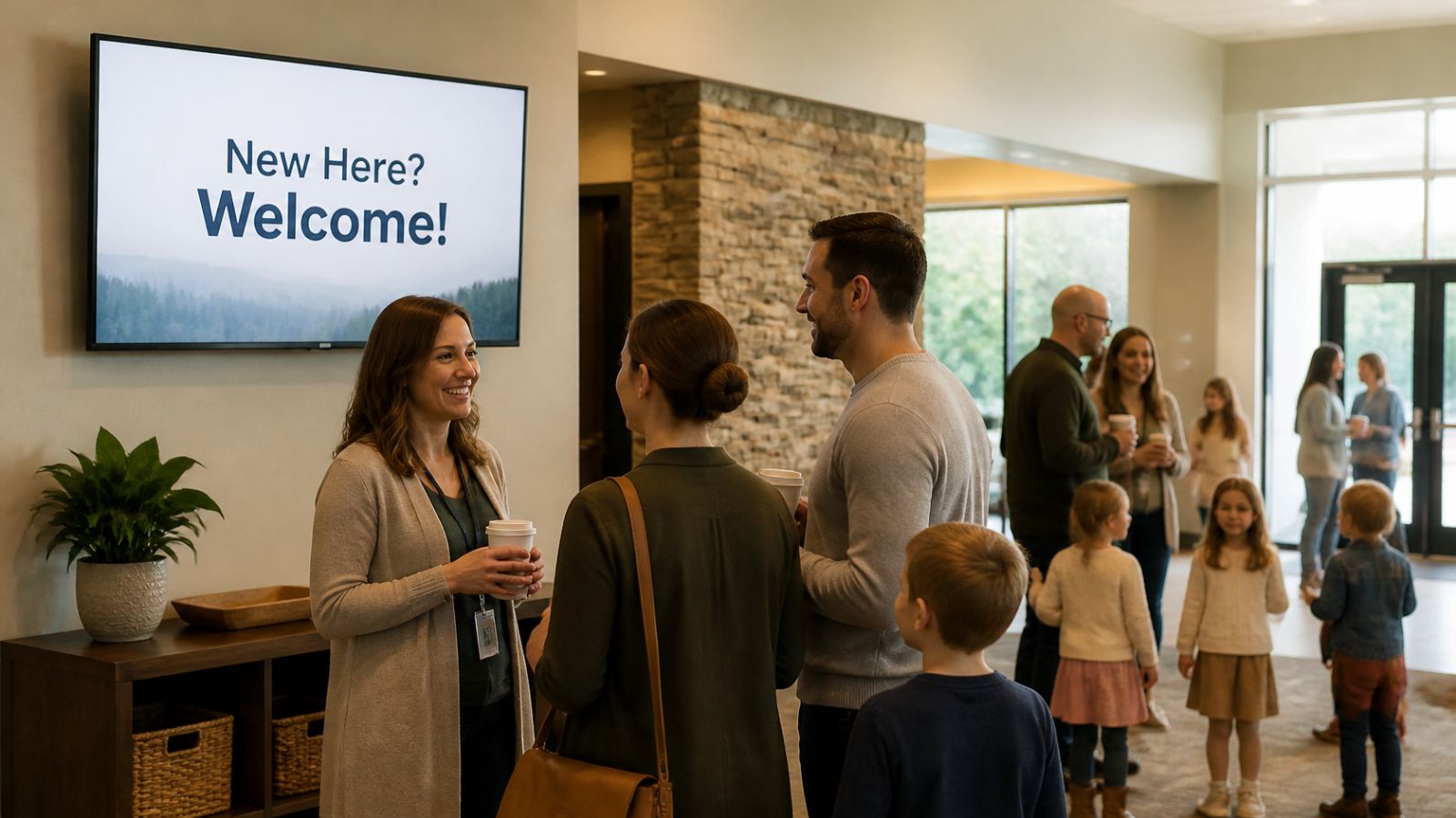
A church lobby screen should welcome first-time guests, show where kids' check-in, restrooms and the main room are, and give one clear next step like a guest card or newcomers' lunch. Between and after services, switch to events, groups and volunteer needs. One screen on the free plan is enough for most churches.
Two-thirds of Protestant churches say they offer a central place where people can learn about the church, according to a 2024 Lifeway Research survey of pastors, down from 78% in 2017 (Religion Unplugged, reporting Lifeway data). A lobby screen is one of the easiest ways to be in that group. Use it to welcome first-time guests, give them one clear next step, and tell regulars what's coming up this week.
The same survey found 91% of churches use greeters at the entrance. Greeters are still the heart of a welcome. The screen supports them: it answers the questions a guest is too shy to ask and frees greeters to have real conversations instead of repeating where the kids' check-in is.
What should a church lobby screen show to first-time guests?
Picture someone walking in alone, 10 minutes early, not sure where to go. Answer their questions in the order they'll have them:
- Welcome. A short, warm line: "New here? We're glad you came."
- Where things are. Kids' check-in, restrooms, coffee, the main room. Arrows and photos beat paragraphs.
- What happens next. Service length, whether there's a time to greet people, where to sit with kids.
- One next step. The guest card, a newcomers' lunch or a QR code to a short connect form. Pick one. Five options means none get chosen.
Keep each slide to a headline and one supporting line. People read lobby screens while walking and talking, so anything that takes more than a few seconds gets skipped.
What should play before, between and after services?
The audience changes through the morning, so the playlist should too.
| Time | Who's in the lobby | What to show |
|---|---|---|
| 30 minutes before | Volunteers, early arrivals, guests | Welcome, wayfinding, kids' check-in, service start countdown |
| Between services | Both crowds at once | Events this week, groups starting soon, volunteer needs |
| After the last service | People lingering over coffee | Next steps, sign-ups with QR codes, giving, prayer team info |
| Midweek | Small groups, staff, community events | Group meeting rooms, youth night, food pantry hours |
With calendar-style scheduling, each of these can switch on and off by itself. Set it up once and Sunday morning runs without anyone touching a laptop. If a special event overlaps the regular loop, give it a higher priority and it takes over for that window.
Which announcements actually belong on the screen?
Not all of them. A lobby screen with 25 slides turns into wallpaper. A good filter: if it doesn't need action from people this week or next, it goes in the bulletin or email, not on the screen.
Content that earns a slot:
- Events in the next two weeks, with date, time and one line on who it's for.
- Volunteer roles you actually need filled, named specifically ("Two greeters for the 11 a.m. service").
- Small groups and classes with sign-up deadlines.
- Missions and outreach updates with a photo and a number people can picture, such as meals served or families helped.
- Giving options, kept low-key: a QR code and a one-line thank-you, not a pitch.
- Baptisms, weddings and milestones, shared with permission.
- Weather closures and schedule changes, added the moment they're decided.
How many screens does a church need?
Most small and mid-size churches need one, maybe two. Put the first screen where guests stop, usually just inside the main entrance or next to the coffee station. A second screen near kids' check-in helps parents with ministry-specific info like curriculum themes, pickup reminders and allergy policies.
Larger churches add screens in the gym or fellowship hall for midweek events and in youth spaces with their own playlist. Each screen can run different content, and a remote preview shows what's on every one from the office.
Who should run the screens, and how long does it take?
One person, with a backup. In many churches it's the communications volunteer or the office administrator. Twenty minutes a week is enough if the routine is simple:
- Tuesday or Wednesday: add new events, remove past ones.
- Thursday: schedule any special Sunday content, such as a baby dedication or a mission team report.
- Sunday morning: glance at the remote preview to confirm the screens are on.
Design is usually the bottleneck, not time. Display NOW connects with Canva, so slides your team already makes for social media or the bulletin can go to the screen without being rebuilt, and AI design can turn a line of text into a finished slide. You can upload JPG, PNG and PDF files directly, which means last week's bulletin page can become a slide in seconds. See examples on our church digital signage page.
What does a church lobby screen cost?
The software can cost nothing. Display NOW's free plan covers one screen, which is all many churches need, and you can try paid features free for 14 days with no credit card. Add a TV and an Amazon Fire TV or Google TV device you may already own and you're running. If you'd rather have a dedicated player with remote support from our team, the Edge Player is included with Business Edge; details are on the plans page.
Church lobby screen FAQs
Can we show sermon livestreams or worship videos in the lobby?
Lobby screens work best with short slides, but many churches also use an overflow screen for the service itself. Check your streaming and music licenses before showing worship content outside the main room, since some licenses cover only specific uses.
Should we put prayer requests on the screen?
Generally no. Prayer requests can include personal health or family details, and a lobby screen is public. Point people to the prayer team or a private form instead.
How long should each slide stay up?
About 8 to 10 seconds for most slides. Wayfinding and service-time slides can repeat more often in the half hour before services, when guests are arriving.
Can volunteers update the screens from home?
Yes. Display NOW is cloud-based, so anyone with access can update content from a laptop, and changes reach the screens without a trip to the building.
- Answer a guest's questions in order: welcome, where things are, what happens next, one next step.
- Schedule different playlists for before, between and after services.
- Only show items that need action in the next two weeks.
- About 20 minutes a week of upkeep, with one owner and a backup.
Start free in minutes: one screen free forever, or try every feature free for 14 days. No credit card.
Start freeCompare plansGet Started


