
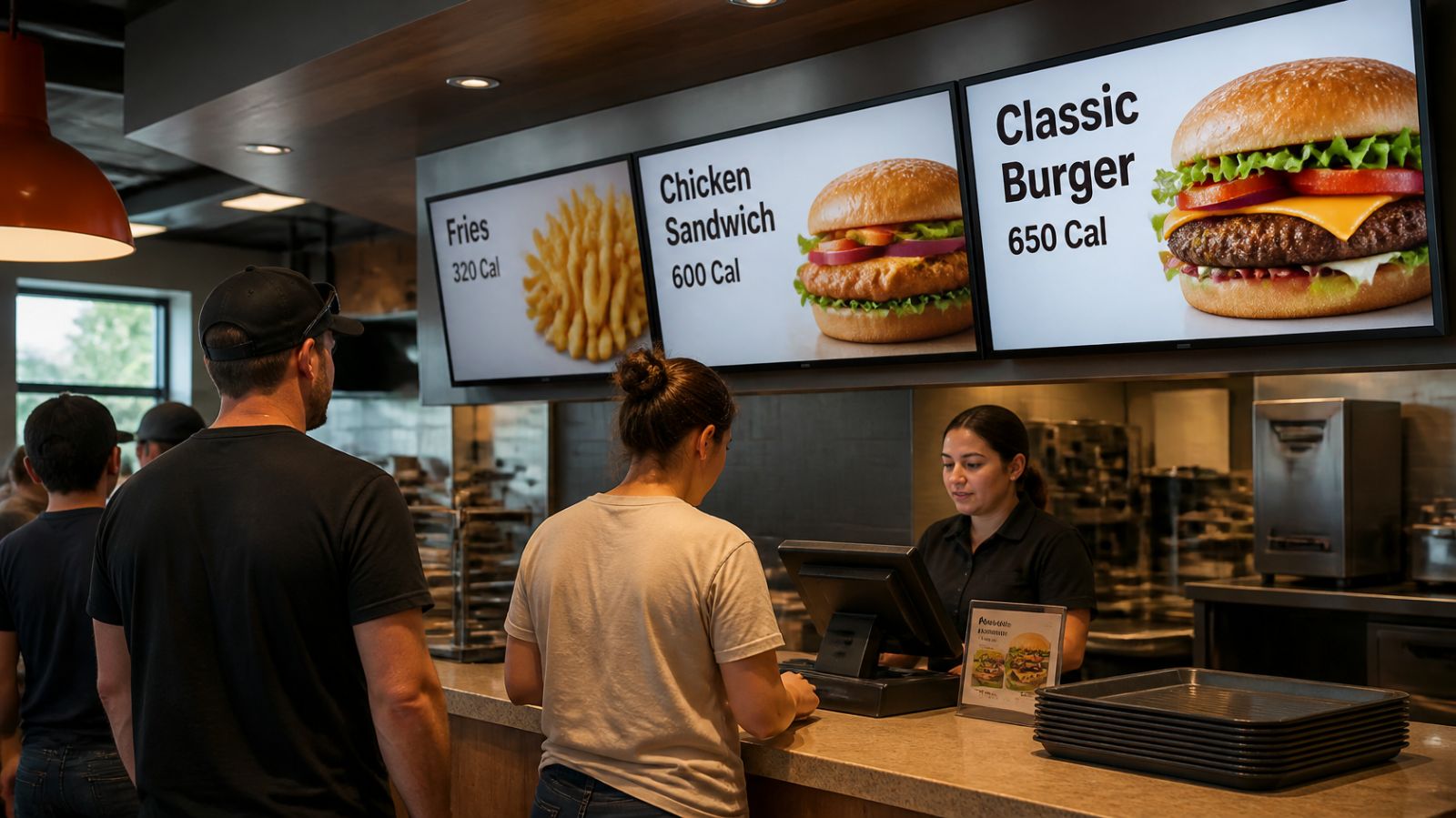
Calorie Counts on Digital Menu Boards: What the FDA Rule Requires
Who has to post calories, what has to be on the screen, and how rotating slides change the job.

Digital menu boards must show calories if your restaurant is part of a chain with 20 or more locations under the same name selling substantially the same menu. The FDA rule covers TV and electronic menu boards, drive-throughs and online ordering. Each standard item needs calories next to it in type no smaller than the name or price, plus the 2,000-calorie statement.
Digital menu boards need calorie counts if your restaurant is part of a chain with 20 or more locations operating under the same name and selling substantially the same menu. The FDA's menu labeling rule applies to electronic menus and menu boards just as it does to printed ones. If you're an independent restaurant or a small group, federal law doesn't require it, though state or local rules might, and many operators post calories anyway.
Here's what covered restaurants have to show, and the screen-specific details that trip people up.
Who has to follow the FDA menu labeling rule?
According to the FDA, the rule covers restaurants and similar retail food establishments that are part of a chain of 20 or more locations, doing business under the same name, offering substantially the same menu items, and selling restaurant-type food. That reaches well beyond burger chains: coffee chains, convenience stores with food counters, grocery store prepared-food sections, movie theaters and entertainment venues can all be covered.
Nutrition labeling for standard menu items took effect on May 7, 2018 (Toast). It's been in force for years, so a new digital menu board rollout should be compliant from day one.
Do the rules apply to digital and TV menu boards?
Yes. FDA guidance on the rule explicitly includes "electronic menus and menu boards," along with drive-through boards, and online menus where a customer can place an order (FDA guidance). A TV showing your menu is a menu board, so the same requirements apply.
What has to appear on a compliant menu board?
Use this as a working checklist. Confirm the exact formatting against the FDA guidance or with counsel.
| Requirement | What it means on a screen |
|---|---|
| Calories for each standard menu item | Shown next to the item name or price, clearly tied to that item |
| Calorie type size | No smaller than the item's name or price, whichever is smaller (FDA) |
| Daily calorie statement | "2,000 calories a day is used for general nutrition advice, but calorie needs vary," at the bottom of the menu board |
| Statement on written nutrition information | A note that additional written nutrition information is available on request |
| Self-service and food on display | Calories on a sign near the item, such as a grab-and-go case |
On request, covered restaurants must also provide written nutrition details for standard items, including total fat, saturated and trans fat, cholesterol, sodium, carbohydrates, sugars, fiber and protein (FDA). That lives on paper or online, not on the screen.
What's exempt from calorie labeling?
Items that aren't standard menu items are generally exempt. That typically includes daily specials, temporary menu items, custom orders, items in a market test, and condiments for general use (Toast). The FDA has specific limits on what counts as temporary or a market test, so check the guidance before you treat a recurring item as exempt.
How do rotating or animated menu slides change things?
This is where digital boards differ from printed ones. A printed board shows everything at once. A digital board often cycles through slides: breakfast, then combos, then drinks, then a promo.
The safest approach, and the one we recommend, is to treat every slide that shows standard menu items as its own menu board:
- Put calories next to every standard item on that slide, every time it appears.
- Include the 2,000-calorie statement at the bottom of each menu slide, not just one.
- Keep the "additional nutrition information available" note on each menu slide too.
- Don't let animation hide calories. If prices fade in, calories should fade in with them.
- Give promo slides with a photo of a standard item a calorie figure as well.
It adds a line of text per slide. It also removes any argument about whether a customer standing in line had a fair chance to see the information.
How do you keep calories accurate when the menu changes?
Digital boards are easier here than print, as long as you have a process. A recipe change or new supplier can shift calorie counts, and the screen needs to change with the menu.
- Keep one source of truth for menu data, ideally from whoever calculates your nutrition values.
- Update calories at the same moment you update the item, never as a follow-up task.
- Use templates so every slide has a fixed spot for calories and the statements.
- Use a remote preview to spot-check each location's boards after a menu change.
With Display NOW you can build menu slides from Canva templates or with AI design, schedule breakfast, lunch and dinner menus to switch automatically, and update every location from one dashboard. Calendar-style scheduling also helps with limited-time offers: schedule the LTO with its own start and end dates and it disappears on time, which matters when a temporary item's exemption depends on how long it runs. See menu board layouts on our digital menu boards page or start a 14-day free trial with no credit card.
Calorie labeling FAQs
Do independent restaurants need calories on their menu boards?
Not under the federal rule, which applies to chains with 20 or more locations. Some states and cities have their own requirements, so check local rules. Posting calories voluntarily is also common.
Do drive-through menu boards need calories?
Yes, for covered chains. FDA guidance lists drive-through menu boards among the menus the rule covers.
Do alcoholic drinks need calorie counts?
If they're standard menu items listed on the menu or board at a covered establishment, generally yes. Check FDA guidance for how to declare drinks with variable pours or mixers.
Can calories go on a separate screen from the menu?
The rule ties calories to menu items on the same menu or menu board, so a separate "nutrition screen" isn't a substitute. Put calories next to each item where it's listed.
- Applies to chains with 20+ locations; independents may face state or local rules.
- Calorie text must be at least as large as the item's name or price, whichever is smaller.
- Treat every rotating menu slide as its own menu board.
- Daily specials, temporary items and custom orders are generally exempt.
Start free in minutes: one screen free forever, or try every feature free for 14 days. No credit card.
Start freeCompare plansGet Started


