
Gym TV Screens: What to Show Members (Schedules, Promos and Member Wins)
Class schedules, promos and member wins that make your screens worth a glance.

Gym TVs should show what helps a member decide what to do next: today's class schedule, the featured class and coach, and one offer the front desk can sell. Keep cable or sports on the cardio deck where people stay 20+ minutes, and run your own content everywhere people are moving.
The best thing to put on a gym TV is whatever helps a member decide what to do next: today's class schedule, the coach who's teaching it, and one offer worth asking the front desk about. Cardio-deck TVs can keep sports or news for people on a 40-minute run. Every other screen in the building should be working for you.
Think about how often your members walk past those screens. The Health & Fitness Association estimates 81 million Americans belonged to a fitness facility in 2025 and made nearly 7 billion visits (HFA). That's a lot of glances at a lobby TV playing a muted news channel you don't control.
What should be on the TV at the front desk?
The entrance screen has one job: tell people what's happening today. Members check in, look up, and decide whether to stay for the 6 p.m. class.
- Today's class schedule, with start times, room and instructor. Only today's. A full week in small type is unreadable.
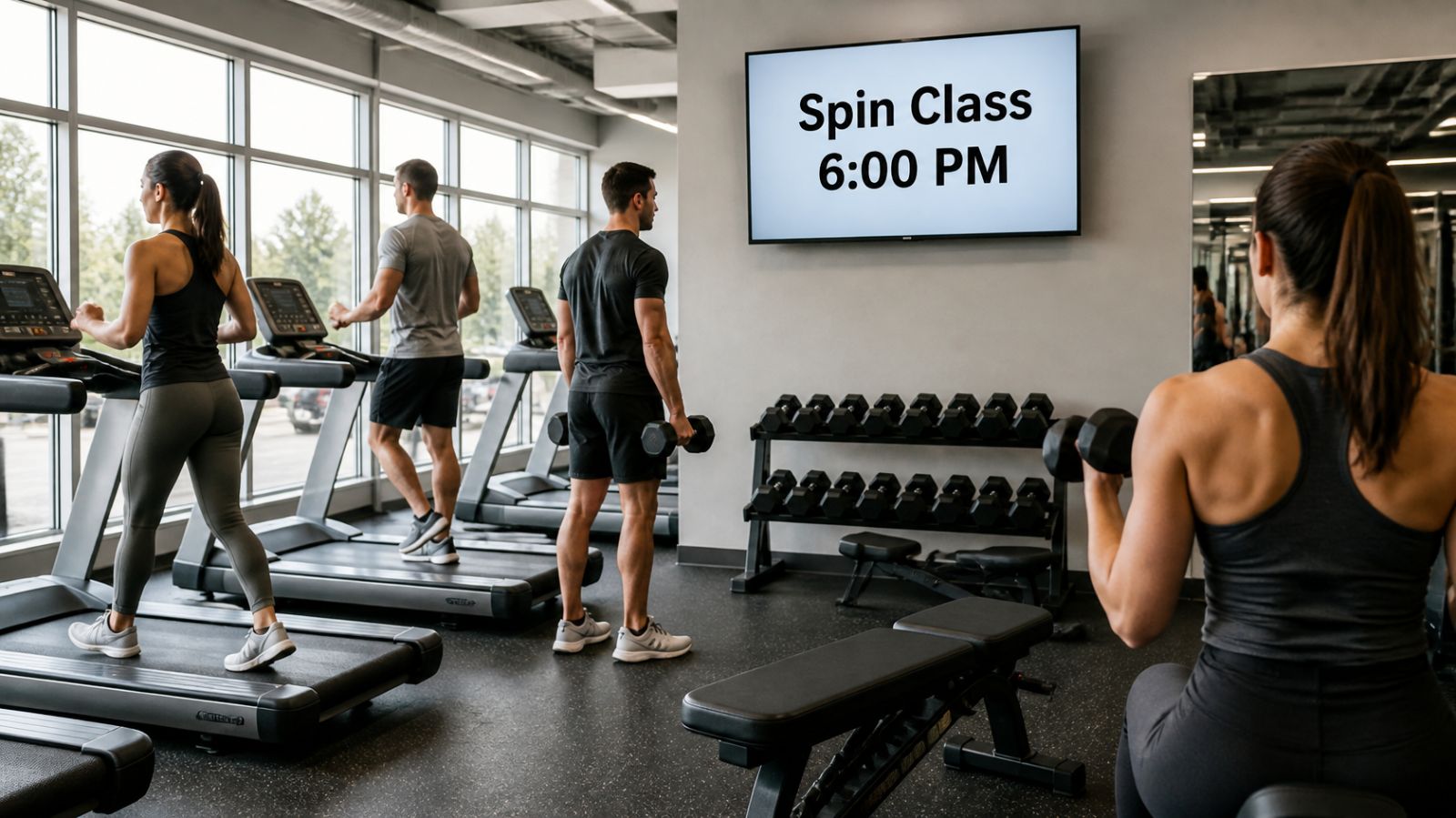
- Featured class of the night: "Spin at 6 p.m. with Maria, all levels welcome." One class, big type.
- Schedule changes such as a substitute coach or a cancelled class, so members aren't surprised at the studio door.
- Hours for holidays and weather closures, scheduled in advance so they appear and disappear on their own.
What works on screens around the training floor?
Members on the floor are between sets, so give them something that takes five seconds to read. A few ideas that tend to land:
- Form cues for the equipment right below the screen: hip hinge for the deadlift platform, foot position for the leg press.
- Member milestones, with permission: 100th class, first pull-up, a marathon finish. Nothing makes a screen worth watching like seeing someone you know on it.
- Coach spotlights that put a face and a specialty to each trainer, with a nudge to book a session.
- Monthly challenges and a simple leaderboard image you update once a week.
- Gym etiquette, kept friendly: rerack weights, wipe down benches, phone calls in the lobby.
Should gyms keep cable TV on at all?
On the cardio deck, often yes. People on a treadmill for half an hour want something to watch, and pulling the game off the screens can start an argument at the front desk. The mistake is running cable on every screen, including the ones at the entrance, the locker room hallway and the stretching area, where nobody is watching for more than a few seconds.
A practical split: entertainment where people stay put, your own content everywhere people are moving. Many gyms also put one branded screen in the middle of the cardio row so promotions still reach that audience.
How do you match screen content to each part of the gym?
| Location | Time people look | What to show |
|---|---|---|
| Front desk / check-in | 3 to 10 seconds | Today's classes, closures, one promo |
| Group fitness studio door | 10 to 30 seconds | Next class, instructor, booking QR code |
| Weight floor | 5 to 60 seconds between sets | Form cues, challenges, member milestones |
| Cardio deck | 20+ minutes | Entertainment plus one branded screen |
| Locker room hallway | A few seconds | Retail and supplement offers, referral program |
| Smoothie bar or pro shop | 1 to 3 minutes | Menu, prices, today's special |
What promotions belong on gym screens?
Promote the things members can say yes to today, at the front desk, without a sales pitch. Personal training intro packages, guest passes, referral rewards, paid workshops and anything sold at the counter all fit. Put one offer on a slide, keep the text under a dozen words, and add a QR code only if the landing page works on a phone.
Rotate offers with the calendar. New Year's promos in January, a summer challenge in May, and a "bring a friend free" week when attendance dips are all easy to set up ahead of time and forget about.
How do you keep gym screens fresh without spending hours?
Most gym TVs go stale because nobody owns them. Assign one person, usually the manager or a front-desk lead, and give them a 15-minute weekly routine:
- Update the class schedule slide for the coming week, including subs.
- Add one new member milestone or coach spotlight.
- Check that last week's promotion has expired.
- Look at the remote preview of each screen to confirm everything is showing.
Display NOW makes this quicker in a few ways. Calendar-style scheduling lets you load a January promo in December and have it switch on and off by itself. When two items overlap, priority decides which one shows. You can design slides from Canva templates or with AI design, and upload PDFs of your printed schedule as-is. If you'd rather not make content at all, the Your Daily Loop add-on supplies done-for-you content, and RSS news headlines can fill a ticker. Our digital signage for gyms page shows layouts built for fitness studios and clubs.
You can start with one screen on the free plan, or try every feature free for 14 days with no credit card. When you're ready to add screens, compare options on the plans page.
Gym TV screen FAQs
Can I put my class booking schedule on a gym TV?
If your booking software can export the schedule as an image or a PDF, you can upload it to a screen. Many gyms keep it simpler: one slide per day with times, rooms and instructors, updated weekly, plus a QR code to the booking page.
Is it legal to play music videos or streaming services on gym TVs?
Commercial use often needs a business license. Consumer streaming subscriptions usually prohibit public performance, and music in a gym may require licensing from performing rights organizations. Check the terms of each service before you put it on a public screen.
How long should each slide stay on screen?
Eight to 12 seconds for a headline and one line of text. Class schedules can stay up longer, around 15 to 20 seconds, because people scan for their time slot.
How many screens does a small gym need?
Start with one at the front desk and one at the group fitness studio. Add a weight floor screen once you have a steady flow of member milestones and challenges to show.
- Front desk: today's classes only, in big type.
- Weight floor: form cues, challenges and member milestones (with permission).
- Slides: 8 to 12 seconds; class schedules 15 to 20 seconds.
- A 15-minute weekly routine keeps every screen current.
Start free in minutes: one screen free forever, or try every feature free for 14 days. No credit card.
Start freeCompare plansGet Started


