
How to Show the Workout of the Day (WOD) on a Gym TV
Swap the whiteboard for a screen that is readable from the back of the room and set up a week ahead.

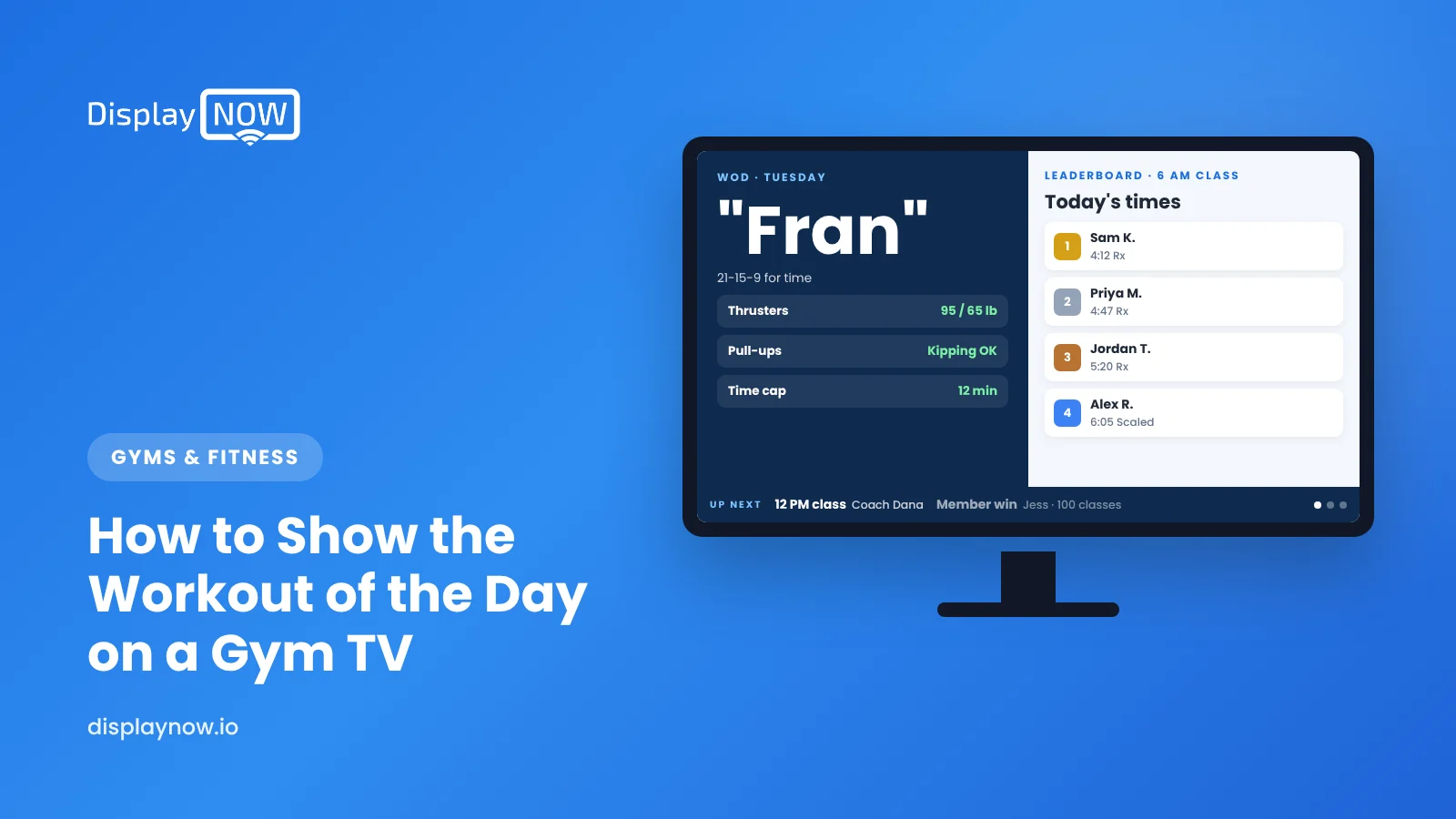
Design the WOD as a simple slide from a Canva template, upload it to a digital signage app and schedule each day's workout to switch at midnight. Size text for the back of the room (roughly an inch of letter height per 10 feet). On a big, well-placed TV, use Display NOW Layouts to show a clock, next class and member wins beside the workout.
To show the workout of the day on a gym TV, design the WOD as a simple slide (a Canva template works well), upload it to a digital signage app, and schedule it to change at midnight or before the first class. Keep it to one workout per screen, use type large enough to read from the back of the room, and, if the TV is big enough and mounted where everyone can see it, use a layout to show a clock and other info beside the workout. Once the template exists, updating it takes a few minutes a day.
Why move the WOD from a whiteboard to a TV?
Whiteboards are part of box-gym culture, and plenty of coaches love them. But they have practical limits. Handwriting varies from coach to coach, a 5 a.m. coach has to write it before anyone arrives, and once it's erased, it's gone. A TV fixes those problems:
- Consistent, readable layout every day, no matter who's coaching.
- Prepared ahead. Program the whole week on Sunday and let the schedule swap the workout each day.
- Room for scaling. Show Rx, scaled and beginner versions side by side without cramming the board.
- Something to show between classes. Upcoming events, the next nutrition challenge or member milestones can rotate when no class is running.
There are a lot of gyms in this space. CrossFit alone describes a network of more than 11,000 business owners, and plenty of independent functional-fitness studios program a daily workout too. Many already use a programming app. Others just need the workout on a screen without another subscription layered on top.
What should a WOD screen show?
Less than you think. Athletes glance at it between rounds, often while catching their breath. Put the movements and reps in the biggest type and everything else smaller.
| Element | Include? | Tip |
|---|---|---|
| Workout name and format (AMRAP, EMOM, For Time) | Yes | Top line, biggest type after the movements |
| Movements, reps and loads | Yes | One movement per line, with Rx loads for men and women on the same line |
| Scaled and beginner options | Yes | A second column or a second screen |
| Warm-up and strength piece | Usually | Separate slide, or a smaller block above the WOD |
| Time cap | Yes | Put it next to the format |
| Coach's notes and stimulus | Optional | One sentence at most |
| Leaderboard | Optional | Better on the screen by the door than on the main WOD screen |
How big does the text need to be?
A common signage rule of thumb is about one inch of letter height for every 10 feet of viewing distance, and more if people are moving or tired. That's a starting point, not a standard. Test it by standing at the back of the room after a hard round. If you squint, the text is too small. In practice:
- A 55-inch screen viewed from 25 to 30 feet can handle about six to eight lines of movements.
- If the WOD has more than eight movements, split it across two screens or two slides.
- Use bold sans-serif fonts and high contrast, such as white text on a dark background. Skip photos behind the text.
Our digital signage design rules cover fonts and contrast in more detail.
How do you set up a daily WOD schedule?
- Build one template. Make a Canva design with fixed spots for format, movements, scaling and time cap. Display NOW connects to Canva, so you can design there and send the slide straight to your screens.
- Program the week. Duplicate the template for each day, fill it in, and export each day as a PNG or PDF.
- Schedule by day. In a calendar-style scheduler, set each day's WOD to play from midnight to midnight. If the Saturday partner workout needs a special slide, schedule it as a higher-priority event, and it will take over for that day.
- Add between-class content. Put events, member wins and promos in the same playlist so they rotate after the last class.
- Check from your phone. Display NOW shows a remote preview of each screen, so the head coach can confirm tomorrow's WOD is ready without driving to the gym.
Can the WOD, a clock and other info share one screen?
Yes, if the TV is big enough and positioned in the right spot. Display NOW has Layouts, which split one screen into zones that each play their own content. On a large TV that everyone can see from the floor, you can keep the WOD in the main zone and put at least a clock beside it, plus whatever else your members check between rounds.
| Zone | What to show | Tip |
|---|---|---|
| Main zone (about two-thirds of the screen) | Today's WOD: format, movements, reps, loads and scaling | Keep it the biggest thing on the screen |
| Side zone | A clock | Large digits so it reads from across the room |
| Lower or second side zone | Next class and coach, member wins, upcoming events | A short rotating playlist works well |
| Corner or strip | Your logo, colors and a one-line announcement | Keep it small so it doesn't crowd the workout |
A few rules keep a layout readable:
- Size first. Layouts work best on a big screen, roughly 65 inches and up, mounted high and central. On a smaller TV, or one in a corner, every zone gets too small to read mid-workout, so stick to the WOD alone.
- Don't shrink the movements. If adding zones forces the WOD below the text sizes above, drop a zone.
- Find the clock in the media app store. Display NOW's media apps include a clock you can drop into a zone.
- Coach-controlled interval timers are their own thing. A wall clock in a zone tells the time. If your coaches start, pause and reset intervals during class, keep that timer on its own display next to the TV.
What else can gym screens do?
Once the WOD is on a screen, the same system can run the lobby TV with class schedules, member spotlights and upcoming events. Our guide to what to show on gym TV screens has a zone-by-zone list, and our page on digital signage for gyms and fitness studios shows how it fits together. For pricing, see our plans.
FAQs
Can I show my programming app's workout on a TV instead?
Many programming apps have their own TV display mode. If yours does and you're happy with it, use it. A signage app makes more sense when you want one system for the WOD, the lobby and promos, or when you write programming yourself.
Can I show a clock next to the WOD?
Yes. With Display NOW Layouts, you split the screen into zones, keep the WOD in the main zone and add a clock from the media app store in a side zone. It works best on a large TV, roughly 65 inches and up, mounted where the whole floor can see it.
What hardware do I need?
A bright TV and a player. Display NOW runs on the Display NOW Edge Player, a dedicated player that our team supports remotely. If you want a layout with a clock and other zones, choose a larger TV, roughly 65 inches or more, so the workout stays readable.
Portrait or landscape for a WOD screen?
Portrait fits a long list of movements, much like a tall whiteboard. Landscape is better if you show scaling options in a second column. Pick one and build your template for that shape.
How far ahead can I schedule workouts?
As far ahead as you program. Many coaches load a full week on the weekend and adjust a day if needed.
- One template, filled in weekly, keeps every coach's board consistent.
- Movements and reps get the biggest type; split long WODs across two slides.
- On a large TV (roughly 65 inches and up) in the right spot, Layouts add a clock, next class and member wins beside the WOD.
- Schedule each day midnight to midnight; keep coach-controlled interval timers on their own display.
Start free in minutes: one screen free forever, or try every feature free for 14 days. No credit card.
Start freeCompare plansGet Started


