Blog
Digital Signage for Marketing Agencies: Add a Recurring Revenue LineNovember 12, 2026

Safety messages, production KPIs and shift updates on every screen
Display NOW puts safety reminders, live Power BI dashboards, shift notes and recognition on every screen in your plant, managed from one dashboard. Business Edge includes a commercial Edge Player for each screen, with remote device support from our team.


Rated by our customers

Businesses trust Display NOW
Screens managed
Countries




Bulletin boards get ignored, emails don’t reach the floor, and second shift hears everything last.
Most of your team doesn’t sit at a desk. Screens put updates where they already are: the break room, the time clock and the line.
Show live Power BI dashboards on the floor so every shift sees output, quality and downtime as it happens.
A poster from 2019 stops getting noticed. Rotate fresh safety reminders so they keep getting read.
Consumer streaming sticks crash and update without warning. The Edge Player is built to run around the clock, and screen-health alerts tell you by email or SMS if a screen goes offline.
Display NOW gives plant managers, EHS and HR one dashboard for break room, line-side and entrance screens, at one plant or many.

Put live KPIs on the floor. Power BI dashboards rotate with announcements, or sit beside them in a multi-zone layout.
Schedule by shift. First, second and third shift each see the messages meant for them.
Design in Canva or with AI, publish in one click. Supervisors can make a clean safety slide in seconds.
Keep break rooms engaging with Your Daily Loop. Ready-to-play trivia, brain fitness and conversation starters from Your Daily Loop give people a reason to look up.
Some features, including remote device support and Power BI dashboards, depend on your plan. See Plans for what’s included at each tier.
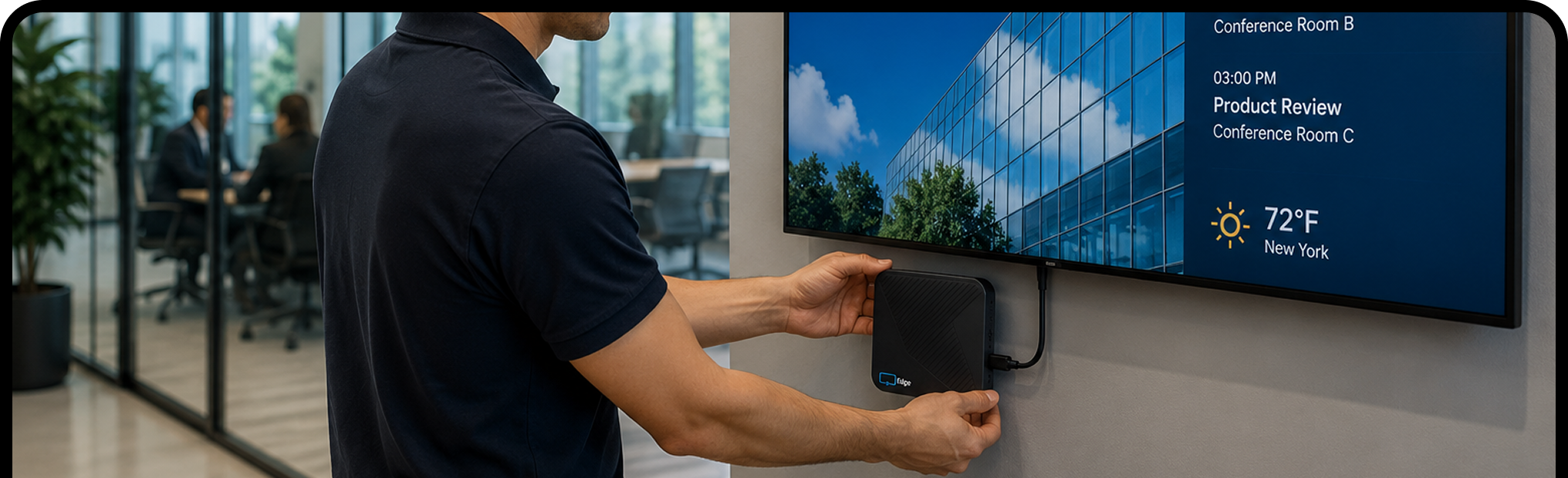
Plug the Edge Player into any TV or display with an HDMI port, connect it to Wi‑Fi, and enter the pairing code.
Sign in with Google or Microsoft. Start from a template, save from Canva, or upload your own. Most people have their first screen live in about 6 minutes.
Publish once and every selected screen updates. Change it from your laptop or phone, wherever you are.


Start free on one screen, upgrade when you're ready, or choose Business Edge with the Edge Player included. Want screens that run themselves? Add Your Daily Loop for ready-to-play content that refreshes every day.
Your Daily Loop: done-for-you content, refreshed every day
Common-area screens are the hardest to keep fresh. Nobody owns them, so nothing gets updated, and the screen ends up showing the same slide from six months ago.
Your Daily Loop fills that gap. Professionally curated programming updates automatically every day. Your team sets it once and doesn't touch it again.
Available as an add-on. See pricing for details.
Try every feature free for 14 days on the TVs you already have, with no credit card. When you’re ready, move to Edge Players for screens that run every shift. Questions? Real people answer by phone, chat and email.


It’s using screens on the plant floor, in break rooms and at entrances to show safety messages, production KPIs and announcements, managed from one online dashboard.
Yes. The Power BI app puts your reports on screen, connected with a Service Principal or Direct Login. They rotate with your other content and stay current while the screen is online. Availability depends on your plan, so check Plans for details.
Any TV or monitor with an HDMI port. The Edge Player, included with Business Edge, is a commercial signage player built to run 24/7. Already have a supported device? Display NOW’s other plans run on it with the free Display NOW app.
Display NOW is SOC 2 Type II, hosted in the U.S. with multi-region failover, and supports SSO with Google Workspace and Microsoft Azure AD on every plan. The Activity Log shows who changed what, and when. Security documentation is at trust.displaynow.io.
Yes. You get 14 days of full access with no credit card. Try it on real screens with real content. Need more time? Just ask and we’ll extend your trial. There's also a free plan for one screen, forever, and a 30-day money-back guarantee on paid plans.
Yes. Create a folder for each plant with its screens under it, give each site’s team its own group, and send one message to every plant or just one. Business Edge adds remote device support from our team for every Edge Player.
Yes. Click a slot in the Schedules calendar to create an event by time of day, day of week or date range. Events run in each screen's local time zone, and changes sync to screens within 60 seconds.
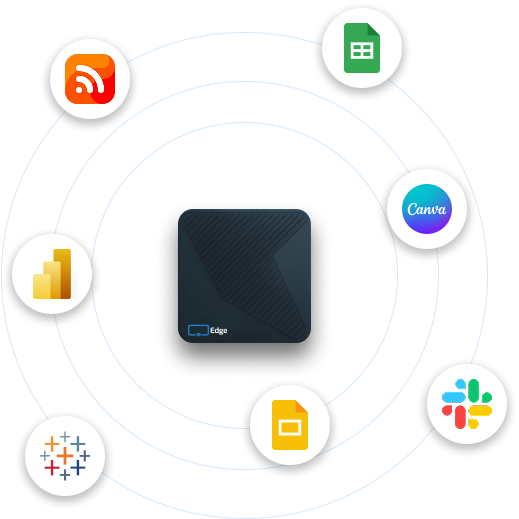
Images, videos, PDFs, playlists, Google Slides, PowerPoint, Canva designs, Power BI dashboards, Google Sheets, web pages, YouTube, Vimeo, live weather and news headlines. Design from scratch with the built-in AI designer or start from a template.
No. Display NOW includes a Designer with Generative AI (describe what you want and AI designs it) and ready-made templates. If you already use Canva, the Canva integration saves designs straight to Display NOW in a few clicks. Your team can have professional-looking content ready in minutes, with no design experience or agency needed.
Your screens keep playing. Display NOW stores images, videos and PDFs on the device, so if the internet drops, that content keeps running. Web pages, dashboards and news headlines need a connection and refresh as soon as it’s back. Screens sync any changes automatically when they reconnect.